

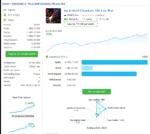
My AI Gold MT5 EA – XAUUSD Trading Robot v1.82
$29.00
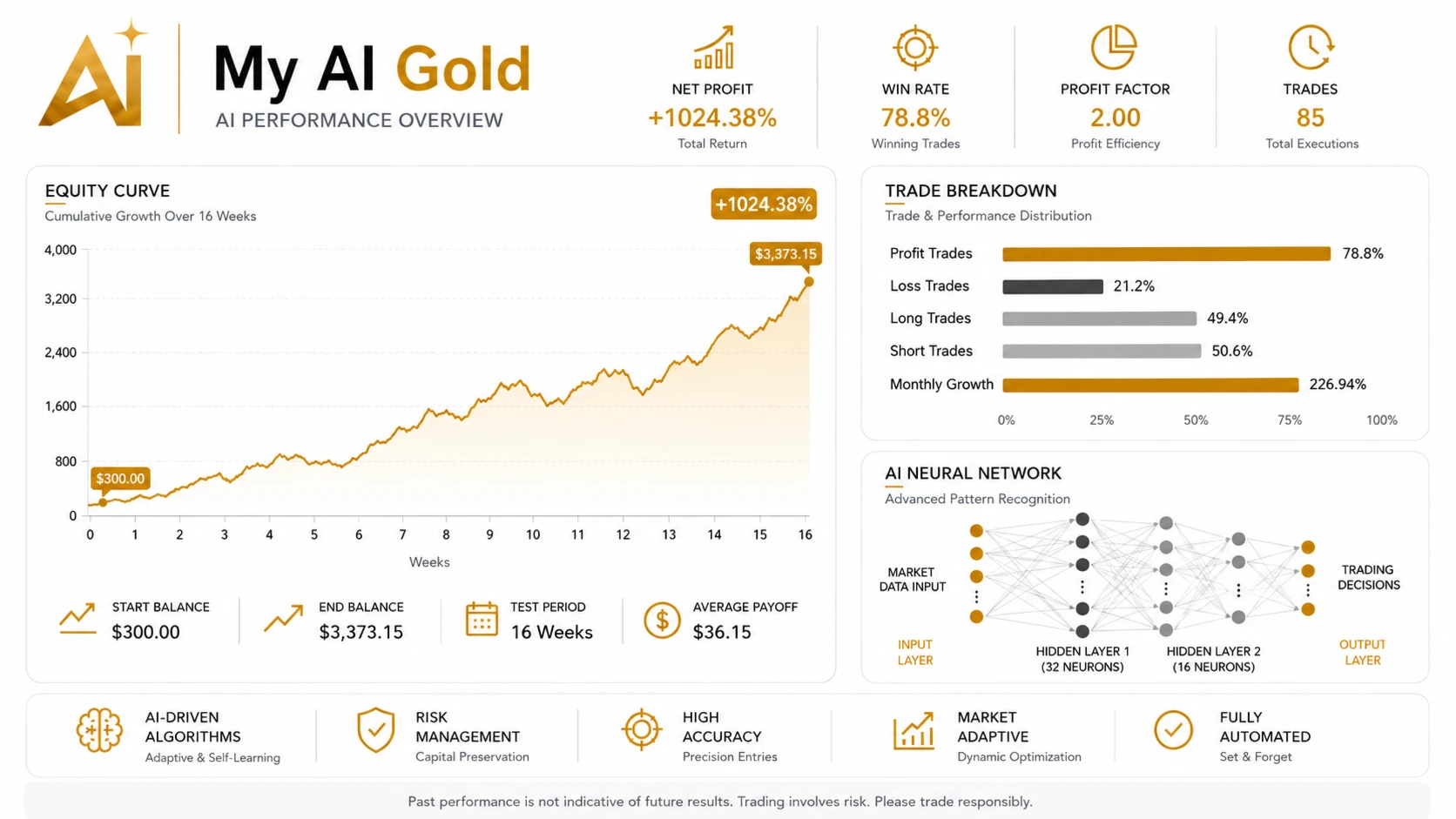
My AI Gold EA MT5 is designed exclusively for XAUUSD trading. Developed by Vitalii Kosov, the robot combines a developer-described neural-network strategy with adjustable position sizing and automated trade management.
What makes My AI Gold interesting is that users can examine publicly monitored trading accounts before purchasing the software.
Whether you are exploring automated gold trading or looking for an alternative to recovery-based EAs, My AI Gold offers several features worth evaluating.
My AI Gold MT5 Review
| Product details | Specifications |
| Latest version | v1.82 |
| Developer | Vitalii Kosov |
| Platform | MetaTrader 5 |
| Trading instrument | XAUUSD |
| Timeframe | H1 |
| Trading method | Automated |
| Strategy | Developer-described AI and neural networks |
| Martingale | No, according to developer |
| Grid trading | No, according to developer |
| Minimum deposit guidance | $1,000 for normal risk |
| Recommended broker type | ECN or RAW Spread |
| Live trading records | Available |
| Prop firm settings | Available |
Why Consider My AI Gold EA?
Choosing a gold trading robot can be difficult when many products advertise large profits without explaining how they manage losses.
My AI Gold takes a different approach by offering configurable trading exposure and publicly accessible performance records.
Trade Gold Without Manual Chart Analysis
The EA monitors XAUUSD and identifies trading opportunities according to its programmed strategy. It manages entries and exits automatically, reducing the need to watch charts throughout the day.
Avoid Recovery-Based Trading Strategies
According to the developer, My AI Gold does not use martingale, grid trading or averaging down to recover losses.
Individual trades are designed to have their own protective exit settings.
Choose Your Preferred Risk Level
Instead of using one fixed configuration, traders can adjust position sizing and risk settings according to their account requirements.
Check Performance Before Buying
Public MQL5 signals allow you to examine account growth, losing trades, drawdown and historical trading activity.
These records provide more useful information than promotional profit screenshots alone.
How Has My AI Gold Performed in Live Trading?
Before buying any Forex EA, it is worth checking how the software has performed under actual market conditions.
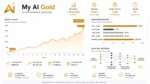
The developer of My AI Gold publishes two publicly monitored trading accounts with different risk configurations.
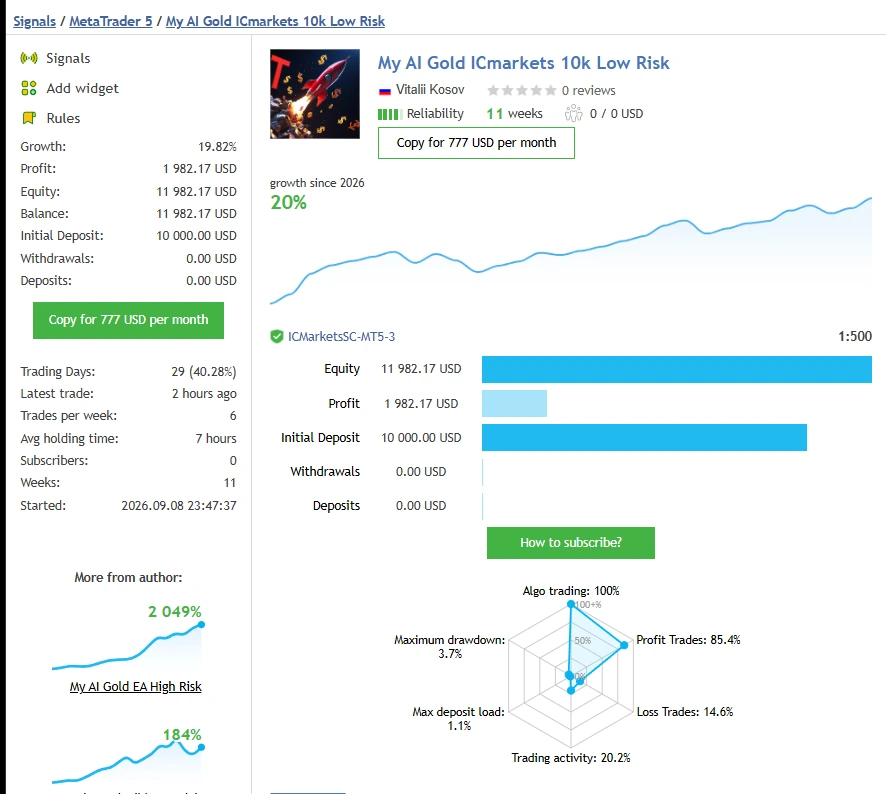
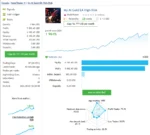
IC Markets $10,000 Low-Risk Account – MT5
This account is particularly relevant to users interested in purchasing the MetaTrader 5 version of My AI Gold.
| Performance indicator | Recorded results |
| Starting balance | $10,000 |
| Current balance | $11,982.17 |
| Account growth | 19.82% |
| Reported profit | $1,982.17 |
| Relative equity drawdown | 3.74% |
| Total trades | 41 |
| Winning trades | 85.36% |
| Profit factor | 2.52 |
| Average winning trade | $93.97 |
| Average losing trade | $217.82 |
| Average trade duration | 7 hours |
| Leverage | 1:500 |
| Broker | IC Markets |
Check My AI Gold MT5 Live Trading Performance
Statistics recorded on November 25, 2026.
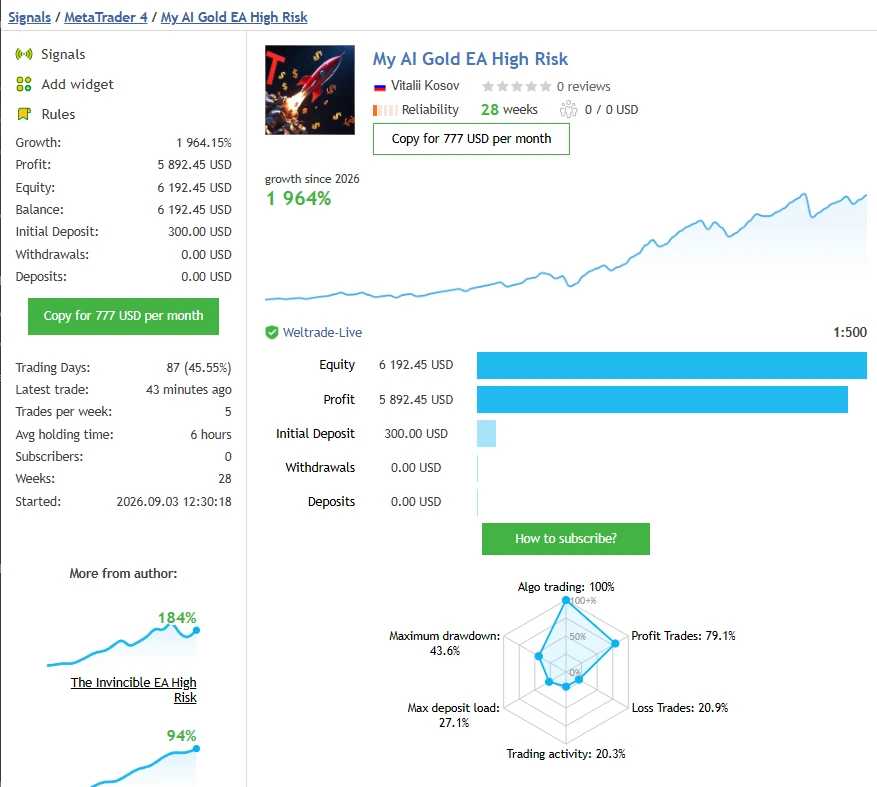
My AI Gold High-Risk Account – MT4
The developer also publishes an aggressive trading account that started with a considerably smaller deposit.
| Performance indicator | Recorded results |
| Starting balance | $300 |
| Current balance | $6,447.43 |
| Account growth | 2,049.14% |
| Reported profit | $6,147.43 |
| Relative balance drawdown | 43.59% |
| Relative equity drawdown | 14.68% |
| Total trades | 130 |
| Winning trades | 79.23% |
| Profit factor | 1.81 |
| Broker | Weltrade |
| Platform | MetaTrader 4 |
Check My AI Gold High-Risk Trading Performance
Statistics recorded on November 25, 2026.
This signal uses MT4 rather than MT5. Its results should not be interpreted as direct evidence of the performance of the MT5 product.
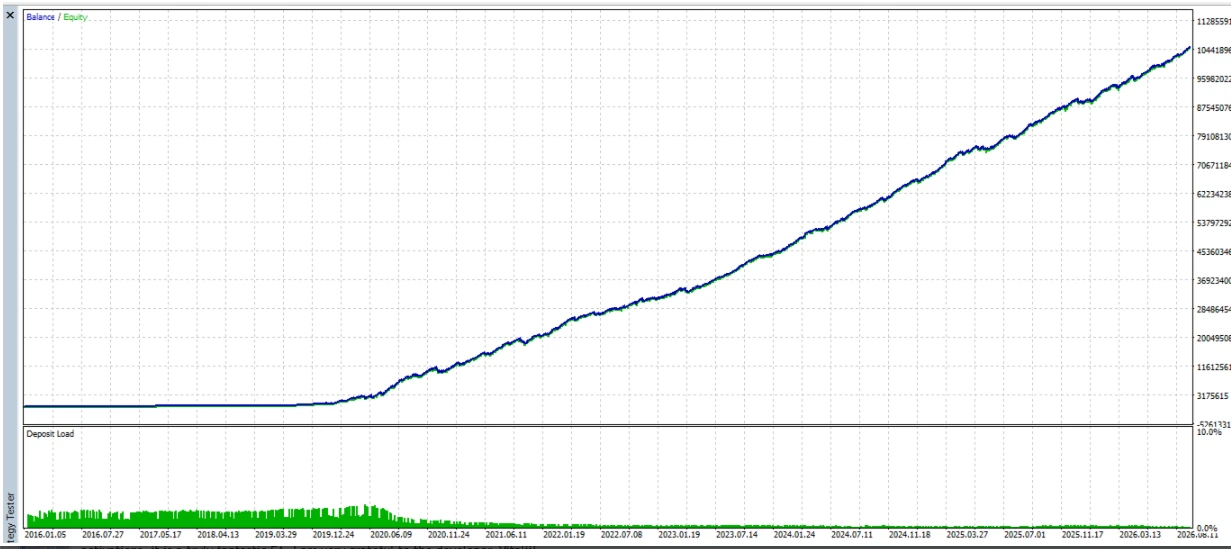
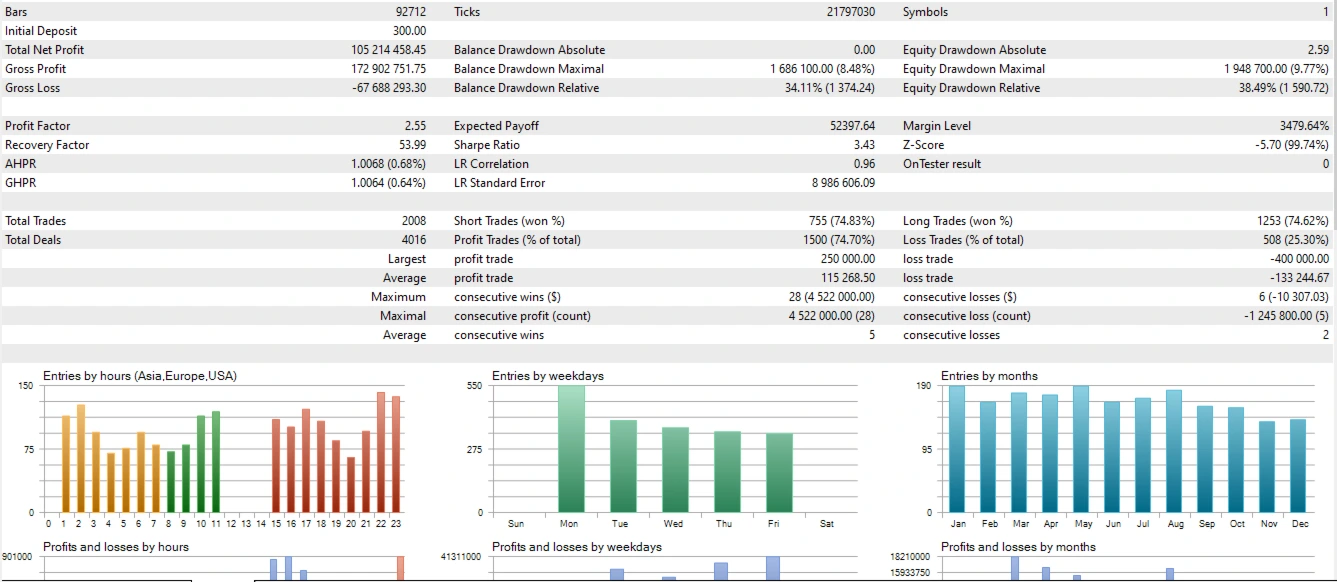
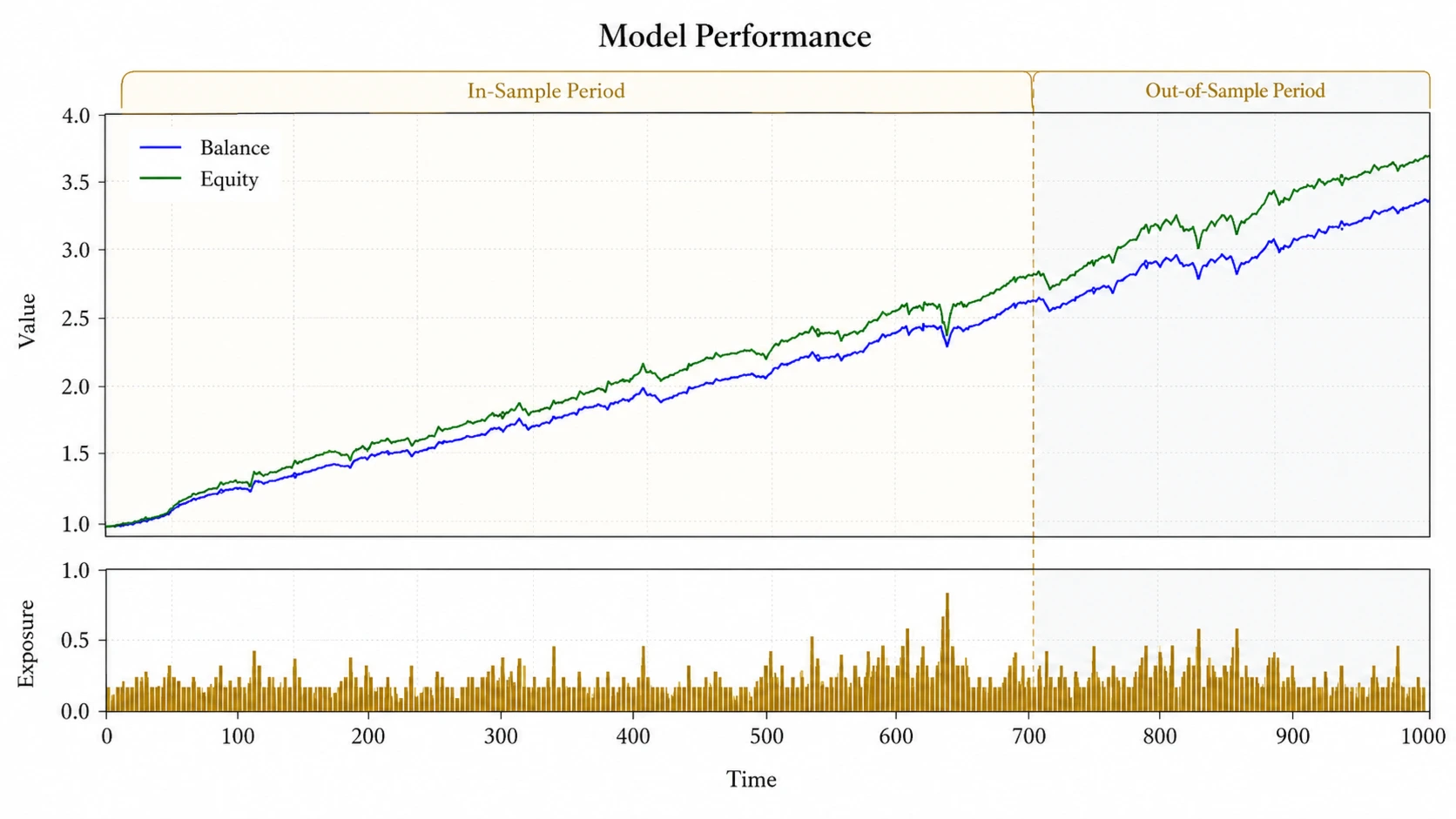
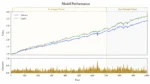
How Has My AI Gold Performed in Backtest
What Makes My AI Gold Different From Other Gold EAs?
Many automated gold trading systems use grid trading, martingale or multiple recovery positions. These approaches can increase exposure when the market moves against the strategy.
My AI Gold is described as using defined entry conditions and individual trade exits instead.
| Trading feature | My AI Gold | Typical grid or martingale EA |
| Entry selection | Strategy-based | Strategy or price-distance based |
| Recovery trades | Not used, according to developer | Common |
| Increasing lots after losses | Not used as a martingale strategy | Common in martingale systems |
| Individual stop loss | Supported | Depends on the EA |
| Position sizing | Configurable | May increase during recovery |
| Main trading instrument | Gold | Varies |
Avoiding martingale does not make an Expert Advisor risk-free. However, understanding how a robot handles losing trades can help you make a more informed purchasing decision.
Explore our collection of gold trading Expert Advisors to compare different automated trading approaches.
Understanding the My AI Gold Trading Strategy
My AI Gold is designed to evaluate gold market conditions and identify suitable trading opportunities.
The developer describes its strategy as using neural networks and machine-learning technology. The internal AI architecture has not been independently verified by our store.
Once the trading conditions are met, the EA calculates position size and opens a buy or sell trade. It then manages the position according to its configured exit rules.
The EA does not need to open trades continuously. It may remain inactive when suitable market conditions are unavailable.
This is normal behavior for a strategy that waits for specific entry opportunities.
If you are unfamiliar with automated trading software, read our beginner’s guide on how Forex Expert Advisors work.
Choosing the Right My AI Gold Settings
The best My AI Gold MT5 settings depend on your account balance, broker, leverage and acceptable level of risk.
A configuration that performs well on a $10,000 account may behave very differently on a $300 account.
Basic Configuration
| Setting | Starting configuration |
| Trading symbol | XAUUSD |
| Chart timeframe | H1 |
| Initial testing environment | Demo account |
| Risk profile | Lower-exposure configuration |
| Lot size | Based on tested risk exposure |
| Stop loss | Enabled |
| Take profit | Enabled |
| Spread restrictions | Matched to broker conditions |
| Algorithmic trading | Enabled during testing |
Conservative Settings
A conservative configuration aims to reduce trading exposure by using smaller position sizes and stricter risk controls.
It may be appropriate for users who prioritize capital preservation when evaluating the EA.
Lower exposure does not guarantee that losses will remain small.
Aggressive Settings
Aggressive configurations generally increase position sizes relative to available capital.
Although this may increase potential profits, it can also result in severe drawdown and account losses.
Do not choose an aggressive SET file simply because it produced higher returns in a historical trading report.
How Much Money Do You Need to Run My AI Gold?
The developer provides account balance guidance for different trading risk levels.
| Starting balance | Developer’s risk classification |
| 200–300 | Extremely aggressive |
| $500 or below | High risk |
| $1,000 | Normal risk |
| $2,000 or above | Lower risk |
| $10,000 | Starting balance of the monitored IC Markets account |
These amounts are not guaranteed safe deposits.
The required trading capital also depends on position size, leverage, broker margin requirements and the EA’s actual trading behavior.
If your account balance is small, focus on testing whether the position-sizing configuration produces acceptable exposure rather than attempting to reproduce the returns of the developer’s high-risk account.
My AI Gold EA SET Files Explained
A SET file contains predefined Expert Advisor input settings.
Instead of manually configuring every parameter, you can load a compatible SET file into MetaTrader 5 and review its settings before activating the EA.
Depending on the configuration, a SET file may control:
- Fixed or automatic lot sizing
- Trading risk profile
- Spread restrictions
- Trading hours
- Position limits
- Stop-loss and take-profit settings
Different presets are intended for different trading objectives.
Always confirm that the SET file matches your installed EA version. Using an outdated or unsuitable preset can produce unexpected trading behavior.
Check the product package details to confirm which presets are included with your purchase.
What Is New in My AI Gold MT5 v1.82?
Version 1.82 is the current version listed by the developer as of November 25, 2026.
The reported improvements include additional position-management controls and a preset designed for prop firm trading.
These changes provide more configuration options for traders who need to manage account exposure and trading restrictions.
If you are upgrading from an older version, review your existing inputs and repeat your demo tests before using the updated software on a live account.
Can You Use My AI Gold for a Prop Firm Challenge?
My AI Gold includes settings designed for traders using proprietary trading accounts.
However, using a prop firm-oriented SET file does not automatically make the EA compliant with every firm’s rules.
Before using it, confirm whether your prop firm allows third-party trading robots.
Pay particular attention to daily loss limits, maximum account drawdown, news trading restrictions, weekend holding and maximum position sizes.
The EA cannot guarantee that you will pass a funded account challenge.
Browse our MT5 Expert Advisors to explore other automated trading tools.
Will My AI Gold Work With Your Broker?
My AI Gold requires a MetaTrader 5 trading account with access to XAUUSD.
The developer recommends RAW Spread or ECN account conditions. Its publicly monitored MT5 account operates with IC Markets.
However, using the same broker does not guarantee identical trading performance.
The following factors can influence results:
- Gold spreads
- Trading commissions
- Execution speed
- Slippage
- Contract specifications
- Broker server time
- Account leverage
Some brokers use different gold symbol names, such as XAUUSDm or GOLD.
Check whether your EA version supports your broker’s symbol before activating automated trading.
Getting Started With My AI Gold MT5
You do not need programming knowledge to install a compatible Expert Advisor in MetaTrader 5.
Step 1 – Install the EA
Open MetaTrader 5 and navigate to File → Open Data Folder → MQL5 → Experts.
Copy your licensed My AI Gold EX5 file into the Experts folder and restart the trading terminal.
Step 2 – Prepare Your Gold Chart
Open your broker’s XAUUSD chart and select the H1 timeframe.
Find My AI Gold under Expert Advisors in the Navigator panel.
Step 3 – Configure the Robot
Drag My AI Gold onto the chart.
Review the available input parameters or load a compatible SET file.
Check the position size and risk settings carefully.
Step 4 – Start Demo Testing
Enable algorithmic trading and confirm that the EA initializes successfully.
Monitor its trading activity, open positions and account exposure before considering live trading.
For detailed instructions, visit our MT5 EA installation guide.
Test My AI Gold Before Trading With Real Money
A public trading signal provides useful historical information, but it does not tell you exactly how the EA will perform on your account.
Running your own tests is an important part of evaluating automated trading software.
Start With a Historical Backtest
Use the MetaTrader 5 Strategy Tester to evaluate the EA using reliable gold price data.
Include realistic spreads, commissions and trading conditions.
Review the entire test period rather than selecting only profitable months.
Evaluate the Drawdown
Check how much account equity declined during unfavorable trading periods.
A profitable EA can still produce losses that exceed your acceptable risk level.
Run a Demo Forward Test
Allow the EA to operate under current market conditions using a demo account.
Compare its position sizes, entry frequency and losing trades against your expectations.
Review Performance Across Different Market Conditions
Gold can experience strong trends, sudden reversals and periods of extreme volatility.
A strategy that performs well in one market environment may struggle in another.
Read our guide on how to backtest an Expert Advisor in MT5 to learn more.
Our Assessment of My AI Gold EA
My AI Gold has several interesting characteristics, particularly its dedicated gold trading strategy, configurable risk profiles and publicly available trading records.
The monitored IC Markets account provides relevant performance information for MT5 users.
However, there are limitations that potential buyers should understand.
| What we like | What users should consider |
| Public trading performance records | Limited MT5 monitoring history |
| Dedicated XAUUSD strategy | No diversification across instruments |
| Adjustable risk configurations | Aggressive presets can cause substantial losses |
| Individual trade protection | Stop losses cannot eliminate slippage risk |
| Developer-described non-martingale strategy | Internal strategy has not been independently audited |
| Prop firm-oriented preset | No guaranteed prop firm compatibility |
My AI Gold is worth researching if you are interested in automated gold trading without recovery-based strategies.
However, purchasing the EA should be based on compatibility, licensing, documented performance and realistic risk expectations.
Is My AI Gold the Right EA for You?
My AI Gold may be worth evaluating if you already use MetaTrader 5, prefer trading gold and want to examine a strategy with publicly available performance records.
It may also interest traders who prefer robots designed without martingale or grid recovery methods.
You should reconsider using this EA if you:
- Expect guaranteed daily or monthly profits.
- Cannot afford to lose your trading capital.
- Want to reproduce aggressive signal returns without accepting significant risk.
- Do not understand leverage or position sizing.
- Are unwilling to monitor or test automated trading software.
No Expert Advisor can remove the uncertainty of financial markets.
Having Problems With My AI Gold?
The EA Is Installed but Not Trading
Check whether algorithmic trading is enabled and confirm that the robot is attached to your broker’s gold chart.
The EA may also be waiting for its internal trading conditions to be met.
The Robot Opens Larger Positions Than Expected
Review the fixed lot size, automatic position-sizing options and selected risk profile.
Disable automated trading if the robot exceeds your intended exposure.
My Results Are Different From the MQL5 Signal
Differences in broker conditions, leverage, account balance, software version and SET files can affect performance.
Public trading signals should be treated as historical references rather than promises of identical results.
The EA Does Not Appear in the Navigator
Confirm that the EX5 file is stored inside the MQL5 Experts folder.
Refresh the Navigator or restart MetaTrader 5.
My SET File Is Not Compatible
Check that the preset belongs to your installed version of My AI Gold.
Older SET files may contain different parameters or unsupported settings.
The EA Stops When My Computer Is Turned Off
MetaTrader 5 generally needs to remain operational for automated trading.
A compatible Forex VPS can keep the platform running without requiring your personal computer to remain switched on.
Frequently Asked Questions
Is My AI Gold EA a fully automated trading robot?
Yes. It is designed to analyze gold market conditions and manage trades automatically through MetaTrader 5.
What is the latest My AI Gold MT5 version?
Version 1.82 is the latest version listed by the developer as of November 25, 2026.
Is My AI Gold EA profitable?
Its publicly monitored accounts have reported historical profits. However, future profitability is uncertain and depends on market conditions, settings and trading costs.
What timeframe should I use for My AI Gold?
The developer recommends the H1 timeframe on XAUUSD.
Does My AI Gold use artificial intelligence?
According to the developer, the EA uses neural-network technology. Its underlying AI model has not been independently verified by our store.
Can I run My AI Gold on a $300 account?
The developer classifies this balance range as extremely aggressive. Such accounts may face severe drawdown or complete capital loss.
Does My AI Gold use grid or martingale trading?
According to its developer, it does not use grid trading, martingale or averaging-down strategies.
Where can I see My AI Gold live results?
You can view the developer’s publicly monitored IC Markets MT5 trading account.
What is the recorded drawdown of My AI Gold?
The monitored IC Markets MT5 account reported 3.74% relative equity drawdown on November 25, 2026.
This figure is historical and may increase in the future.
Can I use My AI Gold with a prop firm account?
The EA includes prop firm-oriented settings. However, you must confirm that your specific trading firm permits the strategy and its configuration.
Does My AI Gold support other currency pairs?
The EA is designed specifically for XAUUSD. Other instruments are not recommended unless supported by the developer.
Does My AI Gold work on MT4?
This product is intended for MetaTrader 5. The developer’s separate MT4 trading signal does not mean the MT5 software can be installed on MT4.
Do I need a VPS to run My AI Gold?
A VPS is optional but can help maintain uninterrupted terminal operation.
Can I use My AI Gold without previous trading experience?
You can learn how to configure and test the EA using a demo account. However, understanding basic risk management is important before trading with real money.
Important Risk Information
My AI Gold EA is automated trading software. It does not guarantee profits, passive income or protection against trading losses.
Trading leveraged forex and gold instruments involves significant financial risk, including the possibility of losing your entire trading capital.
The live performance statistics presented on this page come from developer-published MQL5 signals and are not independently generated trading results from our store.
Past performance does not guarantee future results. Always evaluate the software using appropriate risk controls and realistic demo testing.
Product information and trading statistics last reviewed: November 25, 2026.

Reviews
There are no reviews yet.